Online Image Cropper
Crop images to the perfect aspect ratio. Upload, resize, and download instantly.
Upload & Crop
Select your image and crop it to your desired size.
How to Crop an Image Online
👉 Quick Setup Guide
Select your files or drag and drop your image to start the crop.
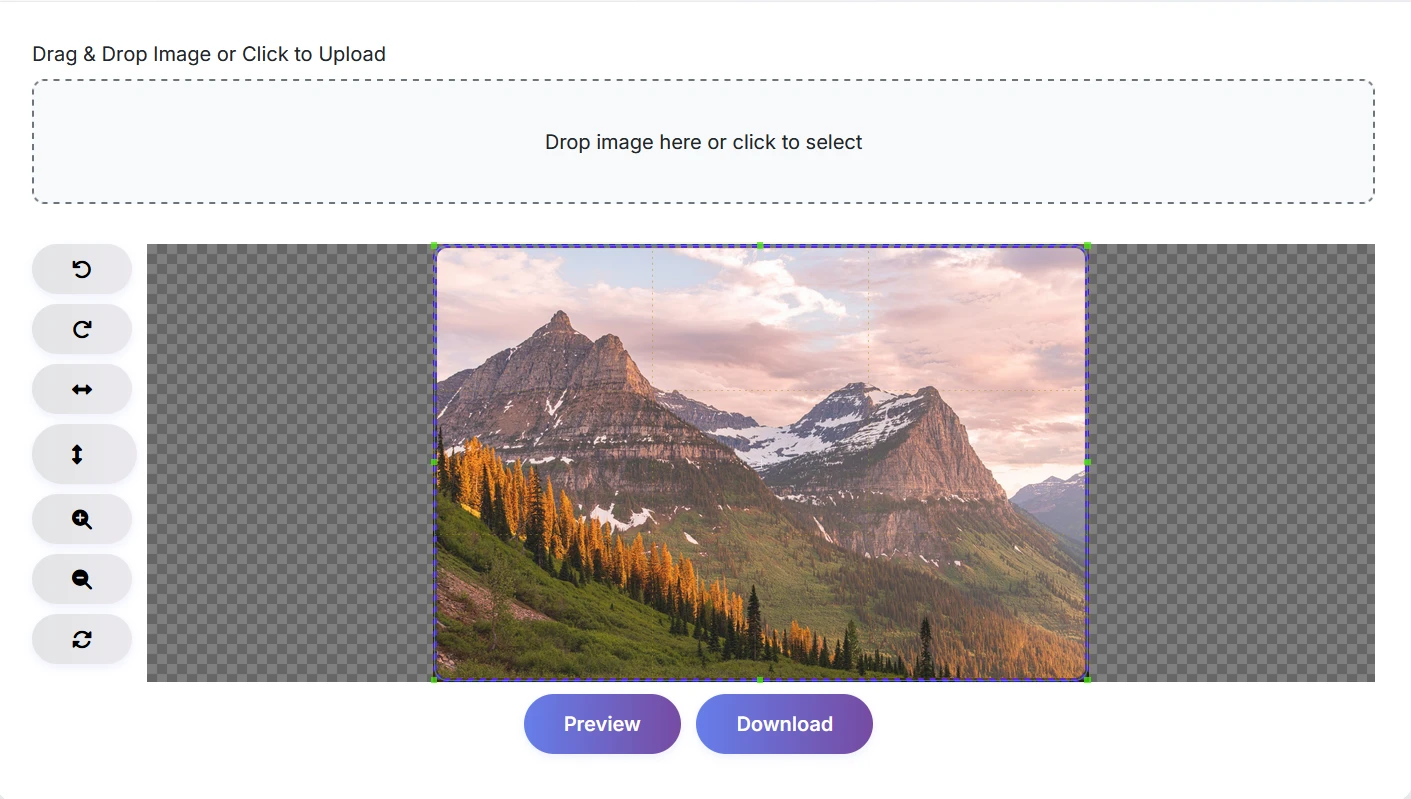
Drag the corners of the crop box to resize and select the exact image area.
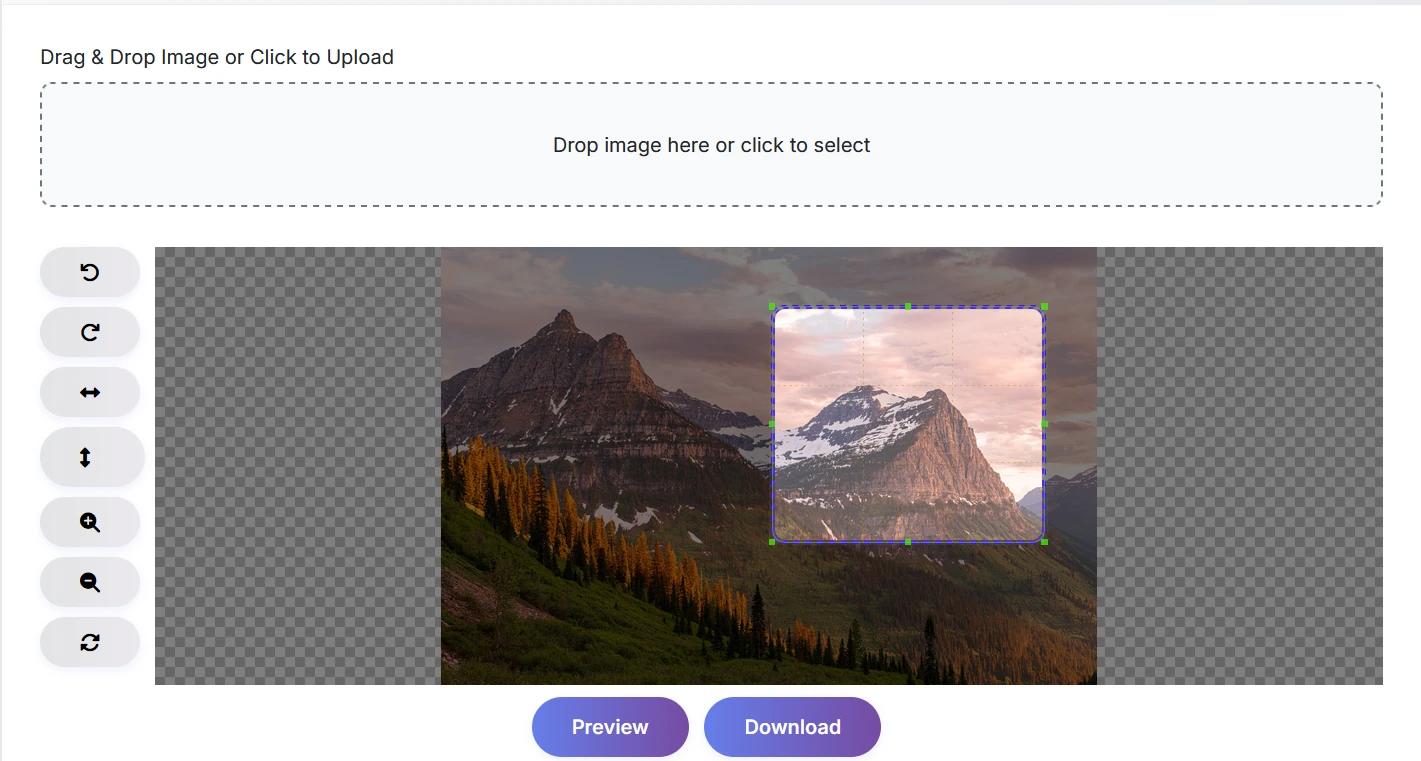
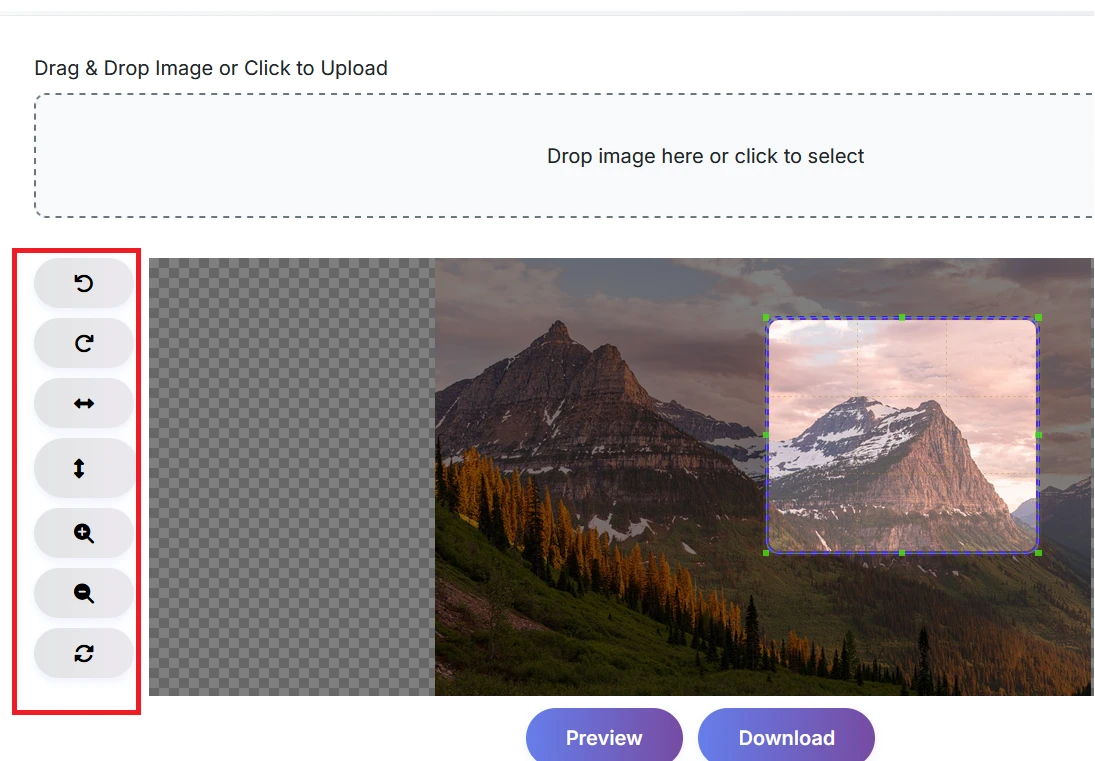
Rotate, flip, zoom, or reset your photo for perfect cropping.
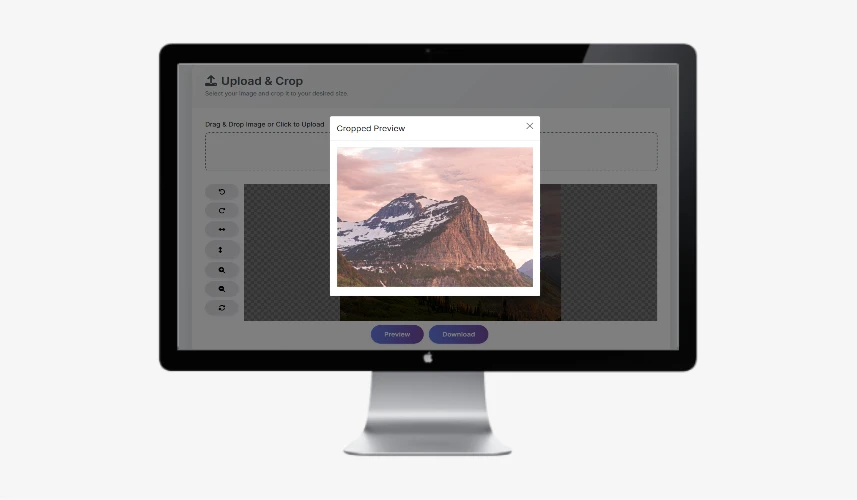
Select "Preview" to see your final image edit before you save.
Click "Download" to save your high-res image to your device.
What Does an Online Picture Cropper Do?
What is Image Cropper?
An online picture cropper is a quick and easy way to edit your pictures by cropping them down to size, rotating them, flipping them horizontally or vertically, changing their dimensions to suit your project, and much more, all from the comfort of your web browser.
This quick and easy solution can be used to prepare your photographs for social networking, web development, or any other professional use you may have.
Use this excellent tool to create a precise image in just a few simple clicks on any computer or device connected to the Internet. There is no need to sign up for, download or install any software; all that is required is uploading your image to the site, specifying the size of the crop area, and getting your newly cropped photo in mere seconds.
The cropper supports several image formats including .jpg, .png, .webp, .gif & .bmp, making it suitable for all projects. The advanced technology used by this tool allows for the detailed adjustment of every single aspect of your image, including careful design with regard to image rotation, flipping, and zooming; therefore guaranteeing that your finished product will be exactly what you envisioned when you started creating it.
This online image editor has been designed to provide an efficient means by which students, content producers and designers can quickly, privately, and securely edit a picture without leaving their own homes.
Get started with cropping your pictures right now - it is FREE, secure and ultra-fast!
Security Note
Secure File Deletion - For your data privacy, all uploaded images are automatically deleted from our server within 1 hour. No files are stored or shared.
In what way does our image cropper stand out from the competition?
- No Upload Guarantees - Your images are stored on your device, and image editing is conducted on the client side entirely inside the browser, providing total local control of image privacy.
- Instant Processing - You can crop, rotate, or save your images in seconds, with zero wait time, requiring no sign-in process, and providing you with immediate results.
- All-in-One Solutions - You can rotate, flip, zoom, and reset your images in one simple interface to create a comprehensive online photo editor.
- Universal Support - Fully supports JPG, PNG, WEBP, GIF, and many other well-known formats at full resolution.
- Mobile-Ready - Our sophisticated application will run flawlessly on any mobile device such as smartphones, tablets, and desktop computers with a responsive layout.
- No Watermarks or Ads - You can download no watermark images, without any type of hidden branding.
- Everyone Can Use It - The user experience was designed with everyone in mind - we use keyboard shortcut accessibility as well as support for screen reader navigation to enhance the usability of the site.
- Open to Your Suggestions - We are always interested in your suggestions about how we can make this free tool better for you and everyone who uses it, so please share your ideas.
- 100% Free and Secure - You do not have to register with us, there are no ads, and there is no cost associated with our free image editing; all image editing occurs locally within your own browser.
Unlike other cropper tools, our solution is designed for speed, privacy, and simplicity. Whether you're a student, designer, or business user, you get a seamless experience with no hidden catches.
Use Cases of Image Cropper Tool
- Social Media Posts: Crop your images to the best aspect ratio for Instagram, Facebook, X, and LinkedIn - perfect for profile and cover photo uploads.
- Document Preparation: Trim your scanned documents, ID cards, or certificates for professional uploads to online applications.
- Website & Blog: Crop your thumbnails and featured images using the banner resizer to fit your responsive website design.
- Design Projects: Crop your graphics and print-ready photos with precise crop measurements for a professional finish.
- Photo Cleanup: Remove distractions or crop backgrounds from your photos before sharing, printing, or further editing.
- Profile Pictures: Design a professional avatar for resumes or social profiles in just a few clicks.
- Mobile Optimization: Crop images for faster page loading and mobile-friendly display on smartphones and tablets.
- Educational Use: Crop diagrams or screenshots for clean student assignments and digital presentations.
- The user-friendly interface ensures that image editing is a breeze for all users - no technical knowledge required. Simply upload, edit, and download!